



How does a white label LMS manage users?
A white label LMS provides organizations with a structured way to manage learners, instructors, administrators, and other users from one centralized platform. Instead of handling accounts manually across different systems, organizations can use an LMS to create profiles, assign roles, organize groups, control access, monitor progress, and manage communication.
User management is one of the most important functions of a learning management system. Whether the platform is used by a school, university, training company, or business, effective user management helps ensure that every person receives the right learning experience.
A well-designed system also makes it easier for administrators to control permissions and protect educational content. At the same time, learners can access courses and resources that are relevant to their roles and responsibilities.
What Is a White Label LMS?
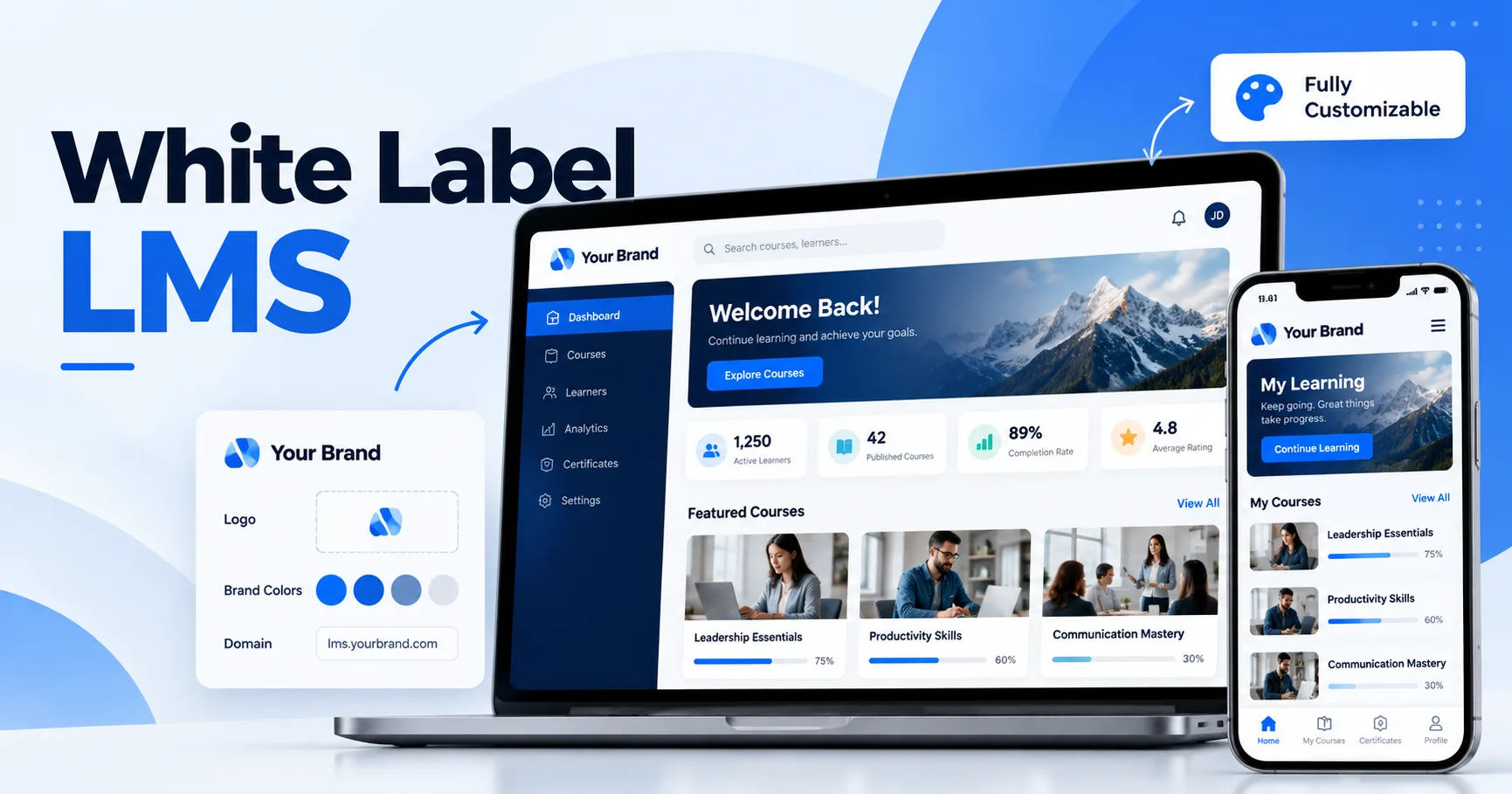
A white label LMS is a learning management system that can be customized and branded as an organization's own platform. Businesses can typically add their logo, colors, domain, and other brand elements instead of presenting the system under a third-party provider's identity.
The platform provides the technical foundation for delivering and managing online education. This can include course creation, assessments, certificates, reporting, communication, and user administration.
The white-label approach is particularly useful for organizations that want to provide online learning while maintaining a consistent brand experience.
For example, a corporate training company could use its own branding throughout the learning portal. Employees might log in through a company-branded website and see courses specifically assigned to their department.
Why User Management Matters in an LMS
An online learning platform can contain hundreds or thousands of users. Without a proper management system, controlling access and tracking activities can become difficult.
User management creates structure within the platform.
Administrators can determine who can access the system, what each person can see, and which actions they are allowed to perform. This reduces confusion and helps organizations maintain better control over their learning environment.
User management can also improve the learner experience. Instead of searching through a large library of unrelated courses, users can be directed toward content that matches their needs.
How Does a White Label LMS Create User Accounts?
The first step in user management is creating accounts.
Administrators can usually create individual accounts manually by entering information such as a person's name, email address, username, and role.
For larger organizations, manual registration may not be practical. Many LMS platforms therefore support bulk user registration. An administrator can upload a spreadsheet containing multiple users and create accounts in batches.
Some systems can also connect with external identity or employee management systems. This allows user information to be synchronized rather than entered repeatedly.
Once an account is created, the user can receive login credentials or an invitation to set a password.
User Roles and Permissions
One of the most important features of an LMS is role-based access.
Different people need different levels of access. A learner should not normally have the same permissions as an administrator.
Learners
Learners are the primary users of most learning platforms.
Their permissions may include:
- Enrolling in assigned courses
- Watching lessons
- Downloading permitted resources
- Completing quizzes
- Submitting assignments
- Viewing grades
- Receiving certificates
- Tracking personal progress
Their access is generally focused on learning rather than administration.
Instructors
Instructors usually have greater permissions than learners.
Depending on the platform, they may be able to create or edit course content, review assignments, grade learners, communicate with students, and view course-specific reports.
However, an instructor does not necessarily need access to platform-wide settings.
Administrators
Administrators generally have the highest level of control.
They may manage users, courses, permissions, settings, reports, integrations, and branding.
Some platforms also allow organizations to create multiple administrator levels. This makes it possible to give staff only the permissions they need.
Groups and Organizations
A large organization may contain different departments, teams, campuses, or branches.
A white label LMS can organize users into groups to make administration easier.
For example, a company could create groups for:
- Sales
- Marketing
- Human resources
- Customer service
- Management
Courses can then be assigned to specific groups.
This approach prevents administrators from having to enroll every employee individually.
Groups can also help with reporting. An administrator may want to compare course completion across departments or check whether a particular team has completed mandatory training.
Assigning Courses to Users
After users are organized, administrators can determine what they should learn.
Courses can be assigned based on job position, department, enrollment status, subscription, or other criteria supported by the platform.
For example, new employees might automatically receive an onboarding course.
A sales employee might receive product training, while a manager could receive leadership training.
This creates a more personalized learning experience because users see content that is relevant to their responsibilities.
Managing User Access
Access control is another major part of user management.
Administrators may be able to activate, deactivate, suspend, or remove accounts. This is particularly important when employees leave an organization.
Instead of deleting all historical records, an administrator can often deactivate the account. This can preserve course records and reporting information while preventing further access.
Some systems also allow administrators to control access according to enrollment dates or course availability.
This provides greater flexibility for organizations that run scheduled training programs.
Self-Registration
Not every LMS requires administrators to create every account.
Some platforms support self-registration, allowing users to create their own accounts.
This can be useful for public courses, professional training programs, educational communities, and customer education portals.
Administrators can decide whether registration is open to everyone or restricted through invitations, approval processes, or other controls.
Self-registration can reduce administrative work while still giving the organization control over access.
Single Sign-On and Authentication
Organizations with many users often want a simpler login experience.
Single sign-on, commonly known as SSO, allows users to access the LMS using credentials from an existing identity system.
Instead of remembering another username and password, employees may use their existing organizational account.
SSO can also help administrators manage access centrally. When an employee's organizational account is disabled, access to connected systems can potentially be affected according to the organization's identity-management setup.
The exact capabilities depend on the LMS and the identity provider being used.
Tracking User Activity
User management is not only about creating accounts. Administrators also need to understand how users interact with the platform.
A white label LMS can record activities such as course enrollment, lesson completion, quiz attempts, assignment submissions, and assessment results.
These records can help administrators understand whether learners are progressing through their courses.
For example, if many learners stop at the same lesson, an organization may investigate whether the content needs improvement.
Progress Monitoring
Progress tracking gives learners and administrators a clearer picture of course completion.
A learner might see a progress percentage or completed lessons within their dashboard.
Administrators may have access to broader reports showing the progress of individual users or groups.
This can be particularly important for mandatory training.
A company may need to know which employees have completed a compliance course and which employees still need to finish it.
Managing Certificates
Many training programs issue certificates after learners meet specific requirements.
The LMS can connect certificates to course completion, passing grades, or other conditions.
For example, a learner might receive a certificate after completing every lesson and achieving a minimum score on the final assessment.
Administrators can use certificate records to verify that users have completed required training.
A branded platform can also present certificates using the organization's name and visual identity, depending on the available customization options.
Communication With Users
Effective user management also involves communication.
Administrators and instructors may need to send announcements, reminders, notifications, or course updates.
For example, users might receive a reminder when an assignment deadline is approaching.
They may also receive notifications when a new course is assigned or when an assessment has been graded.
Automated notifications can reduce the amount of repetitive administrative work.
User Dashboards
A dashboard gives users a central location for important information.
A learner's dashboard might display enrolled courses, recent activity, upcoming deadlines, completed training, and certificates.
An instructor's dashboard may focus on assigned courses, learner submissions, and grading tasks.
An administrator's dashboard can provide information about overall platform activity, users, enrollments, and reports.
Different dashboards help each user type focus on the information that matters to them.
Data Security and User Privacy
Managing users also means protecting their information.
An LMS can contain names, email addresses, course records, grades, certificates, and other sensitive information.
Organizations should therefore consider security when selecting and configuring a platform.
Important considerations may include password policies, authentication methods, access controls, encryption, audit logs, backups, and data-handling practices.
Administrators should also follow applicable privacy laws and their organization's data protection policies.
The exact security features available will depend on the LMS provider and its configuration.
Managing Large Numbers of Users
Scalability becomes important as an organization grows.
A small training provider may have a few hundred users, while a larger organization could have thousands or more.
Manual administration becomes increasingly difficult at larger scales.
Bulk enrollment, automated assignments, group management, integrations, and centralized reporting can reduce administrative effort.
Automation is especially useful when the same actions need to happen repeatedly.
For example, a company could establish a process where newly added employees are automatically placed into an onboarding group and assigned required courses.
Managing External Users
Some organizations use LMS platforms to train people outside their own workforce.
These users could include customers, business partners, contractors, distributors, or franchisees.
The platform can separate these users into appropriate groups and provide access to specific educational materials.
For example, a software company could create a customer training portal where clients learn how to use its products.
This allows organizations to use learning platforms for more than internal employee training.
User Reports and Analytics
Reports provide administrators with information about user behavior and learning outcomes.
Common reporting areas include enrollment, completion, assessment results, login activity, course participation, and certificates.
Reports can help organizations identify incomplete training and monitor participation.
They can also support decision-making about course content.
For instance, if a particular course consistently has low completion rates, administrators can examine whether its structure, length, content, or delivery needs improvement.
Automation in User Management
Automation can make user administration significantly more efficient.
Instead of performing every action manually, organizations can establish automated workflows where supported.
Examples include automatically assigning training to new users, sending reminders before deadlines, or updating enrollment status.
Automation is especially valuable when an organization has recurring training requirements.
It allows administrators to spend less time on repetitive tasks and more time improving the learning experience.
Customization and Branding
The white-label aspect adds another layer to user management.
A branded learning portal can create a consistent experience from the login screen through course completion.
Organizations may be able to customize the platform's logo, colors, domain, emails, certificates, and other visible elements.
This can make users feel that they are accessing their organization's own learning environment rather than an unrelated third-party service.
The level of customization varies between providers, so organizations should review available branding features before selecting a platform.
Best Practices for Managing LMS Users
Effective user management starts with clear planning.
Organizations should define user roles before adding large numbers of accounts. Each role should have only the permissions necessary for its responsibilities.
Groups should also be structured logically. A simple organizational structure makes course assignment and reporting easier.
Regular account reviews are useful as well. Inactive users, former employees, duplicate accounts, and outdated permissions should be addressed according to organizational policies.
Administrators should also monitor security settings and keep authentication methods properly configured.
Finally, user management processes should be documented. Clear procedures help administrators handle onboarding, role changes, account deactivation, and other common situations consistently.
Conclusion
A white label LMS manages users by bringing account creation, roles, permissions, groups, course assignments, progress tracking, communication, reporting, and access control into one centralized environment.
The system can support different types of users, including learners, instructors, administrators, employees, customers, and external partners. Each user can receive an experience appropriate to their role.
Features such as bulk registration, group management, automated enrollment, single sign-on, dashboards, reporting, and notifications can make user administration more efficient.
At the same time, organizations need to pay attention to security, privacy, permissions, and account maintenance. Technology alone does not create effective user management. The platform needs to be configured around clear organizational processes and learning goals.
When these elements work together, an LMS can make online education easier to organize and manage. It can give administrators greater visibility while allowing learners to access the courses and resources they need in a structured environment.